
How to Complete ANZ Loan Documents
Step 1 – Complete the ANZ e-verify ID request. This must be done PRIOR to opening your ANZ One Offset Account. (watch the video below)
Step 2 – Open an “ANZ One Offset Account”. Call ANZ on 1800 317 364 and request to open an ANZ One Offset’ transactional account. (Quote your Loan Application number from the approval letter). You will need this account to complete the Direct Loan Payment Request form (see below). Please advise me of the details once the account is open. Make a note of the BSB & Account number.
Step 3 – Complete the ANZ Electronic Loan Documents
DIRECT LOAN PAYMENT REQUEST
Enter the BSB & Account number of the newly created ANZ One Offset Account (as above). This is the account that your loan payment will be debited from each month / fortnight.

DISBURSEMENT AND SETTLEMENT AUTHORITY (Shortfall Funds & Offset Accounts)
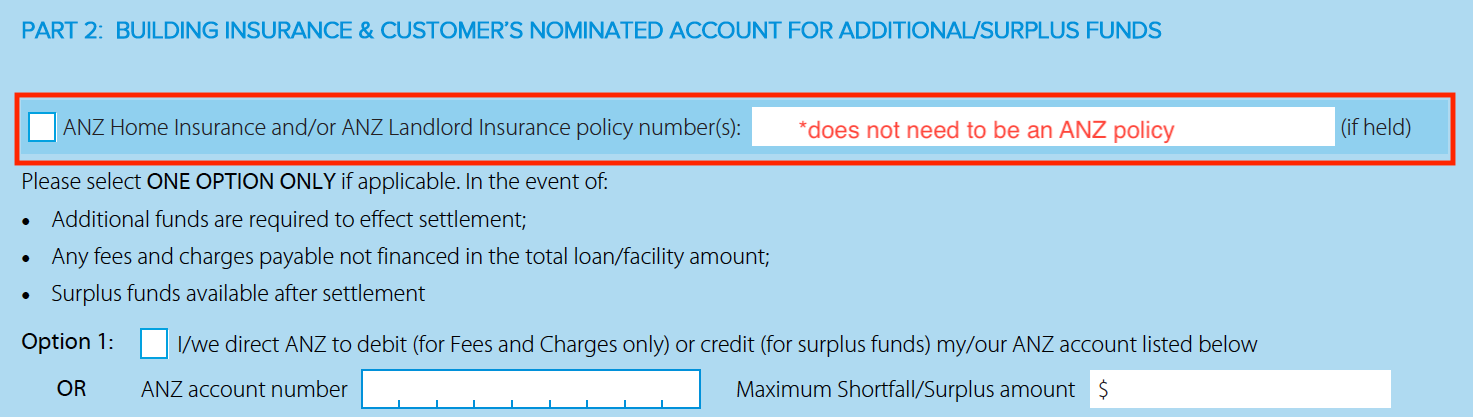
Part 2 – If held enter your Insurance policy number *Note it does NOT need to be an ANZ insurance policy.
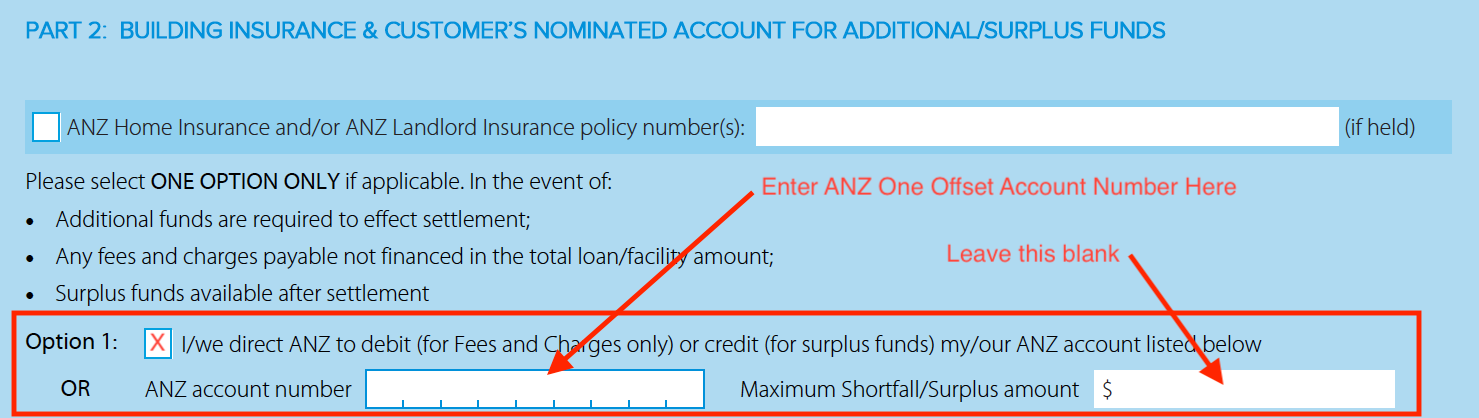
Enter the BSB & Account number of the newly created (or existing) ANZ transactional account as your nominated shortfall / surplus funds account. Leave the amount blank.
Part 3 – Link ANZ Home Loan Offset. Enter the BSB & Account number of the newly created ANZ One Offset Account to be linked to the variable loan. Enter the loan amount of the variable loan. You can link a maximum of 1 x ANZ One Offset Account to each variable loan.

BUILDING INSURANCE
Organise a copy of the building insurance noting “ANZ Bank” as the interested party on the policy. * Note the policy must have a replacement value not less than what is stated in your approval letter.
Email a copy of the certificate of currency to office@staxhomeloans.com.au, and we will forward to the lender.
ASSISTANCE
If you’d like assistance with any of the above, please call me OR use the link below to book in a meeting time that suits you.